
At least one accuracy figure is not specified. Point distance is not an accuracy measurement.
Source-verified head-to-head
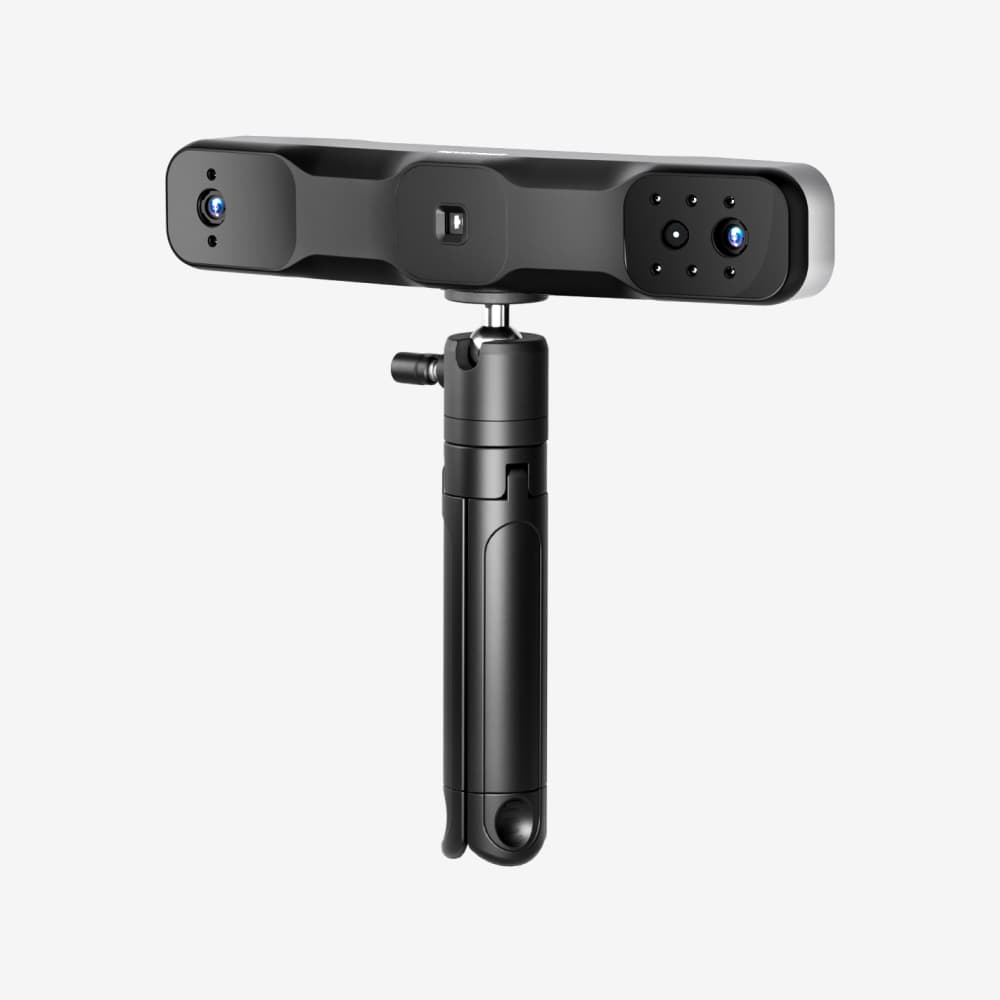
RANGE 2 vs EINSTAR
Which one should you buy? Start with the job and capture workflow, then use the specification table to confirm the fit. No hands-on test is claimed.
Article updated · Specification check dates are shown separately below
VS
LEGACY REFERENCE
ORLegacy reference, not a current shortlist
Legacy reference only, not a current-model buying recommendation. For an existing, used or refurbished unit, verify condition, accessories, software compatibility and the actual seller warranty.
Read the full RANGE 2 review →CHOOSE EINSTAR FOR
Workshop scanning
Shortlist EINSTAR for workshop scanning. Check the required object, capture mode and final output before choosing.
Check latest priceDirect link to SHINING 3D; no affiliate tracking is active.Read the full EINSTAR review →Decision matrix
Which workflow favors which scanner?
Match the minimum object size and close-range capture mode.
Wide-area tracking and working distance matter more here.
Prioritizes edges, surface adaptability and part workflow.
Both capture quality and mesh cleanup determine usefulness.
Standalone processing or wireless capture reduces field equipment.
Based on recorded price guides, not live checkout totals. Confirm region, tax and bundle contents.
Manufacturer specifications
Side-by-side
FeatureRANGE 2EINSTAR
Price guideHistorical list price around $699; legacy modelTypical list price around $849
Claimed accuracyUp to 0.3 mm single-frame; precision up to 0.1 mmNot specified; 0.1 mm minimum point distance
Claimed resolutionUp to 0.1 mm point distance0.1–3 mm point distance
Claimed scan speedUp to 16 fpsUp to 14 fps
Claimed working distance400–1300 mm160–1400 mm
Claimed object rangeMedium to very large objectsMedium to large objects
Claimed light sourceInfrared structured lightInfrared VCSEL
Claimed markerlessYesYes
Claimed wirelessYesNo
Claimed standaloneNoNo
Claimed weight253 g500 g
Claimed systemsWindows, macOS, Android, iOSWindows; supported Apple-silicon macOS
Claimed exportsSTL, OBJ, PLYSTL, OBJ, PLY, P3, 3MF
Specifications are manufacturer claims checked against the sources above. Optical modes and test conditions may differ, so similar-looking numbers are not automatically equivalent.
Best fit
RANGE 2
Legacy reference only, not a current-model buying recommendation. For an existing, used or refurbished unit, verify condition, accessories, software compatibility and the actual seller warranty.
MAIN LIMITATIONBuyers wanting a current-model new-unit shortlist
Best fit
EINSTAR
Shortlist EINSTAR for workshop scanning. Check the required object, capture mode and final output before choosing.
MAIN LIMITATIONComputers below the EXStar requirements
Requirements check
Need a decision on your actual object?
Share the material, size, required output, budget and purchase timeline. We will respond with a source-linked shortlist and the main workflow risks.
Questions answered
Before you choose
Should I buy RANGE 2 or EINSTAR?
This comparison includes a legacy model, retained for existing-owner, used or refurbished research rather than a current-model shortlist. Check the exact unit and seller terms before purchase.
Does the lower accuracy number guarantee a better scan?
No. Optical mode, object surface, tracking, calibration and scan technique can matter more than a best-case single-frame number.